A museum increases revenue when its museum ticketing system removes operational friction, captures visitor data, and automates the parts that staff handle manually. The gains come from fewer booking errors, faster entry, higher conversion rates, and well-timed upsells. A good system replaces guesswork with clear numbers about demand, pricing, and visitor behavior.
Fast Facts for Museums
- Digital ticketing increases advance bookings and reduces no-shows.
- QR-based entry lowers wait times and staffing needs.
- Automation reduces revenue leakage and manual reconciliation errors.
- Visitor analytics reveal high-value segments and peak hours.
- Timed entry improves capacity management and exhibit flow.
- Online + POS + kiosk unification increases total conversion rate.
- Cross-selling (audio guides, events) increases per-visitor spend.
- Central reporting reduces operational overhead.
- Real-time dashboards enable faster pricing and scheduling decisions.
Most museums don’t lose revenue because of low demand. They lose it because their ticketing workflow breaks in small, invisible ways, long queues, manual logging, no data, no follow-ups.
Revenue in Museums Comes From Operational Precision, Not Marketing Wins
A museum can’t scale like an e-commerce site. The building, staff, and galleries form a fixed system. So the real leverage comes from tightening the processes around them. A ticketing system is the first place where revenue enters the building, which makes it the strongest point of control.
A manual workflow fractures easily. Phone bookings get missed. Cash isn’t recorded accurately. Staff can’t track peak hours, so they under-staff or over-staff. Capacity limits are guessed. Visitors wait longer than they should, which lowers on-site spending.
A digital ticketing system fixes these issues because it forces the entire booking-to-entry workflow into a single, consistent mechanism.
Automation Saves More Money Than New Promotions Ever Will
Most museums try to increase visitors. But the fastest gains usually come from reducing time and effort spent per visitor.
Automation helps in three ways:
- It lowers the cost of each transaction.
- It reduces errors that siphon off revenue.
- It increases the number of visitors the museum can handle without additional staff.
This is why museums adopting automated systems often see higher revenue without increasing their marketing budget.
Visitor Data Becomes a Pricing Engine
When a museum knows who visits, when they visit, and what they buy, it can tune its pricing and scheduling. Museums rarely need sophisticated algorithms. They just need clear data.
For example:
- If 60% of all online tickets are purchased within two hours of entry time, the museum can introduce last-minute pricing.
- If Wednesday has the lowest demand, discounts can be automated.
- If families spend most in the café, targeted bundles become obvious.
A ticketing system is the only place where this data forms cleanly.
Read More: Case Study: How Indian Museums Use Ticketing Software for Museums
Step-by-Step Guide for Museums
Step 1: Digitize all ticket types
Put every ticket, general admission, group, member, event into one digital system. Avoid separate tools for events and daily tickets. Fragmentation hides demand patterns.
Step 2: Use timed entry to control capacity
Capacity control smooths footfall. It improves the visitor experience and on-site sales. Timed entry almost always increases average spend because visitors aren’t frustrated or rushed.
Step 3: Automate confirmations, reminders, and follow-ups
These touchpoints reduce no-shows and recover lost revenue. Many museums underestimate the value of a simple reminder message.
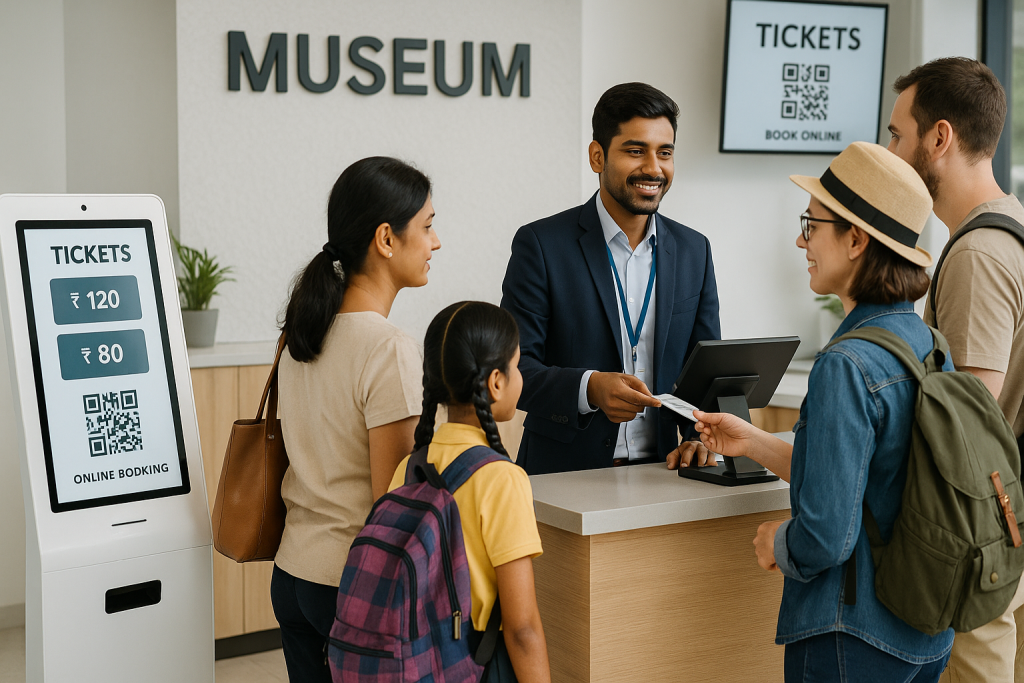
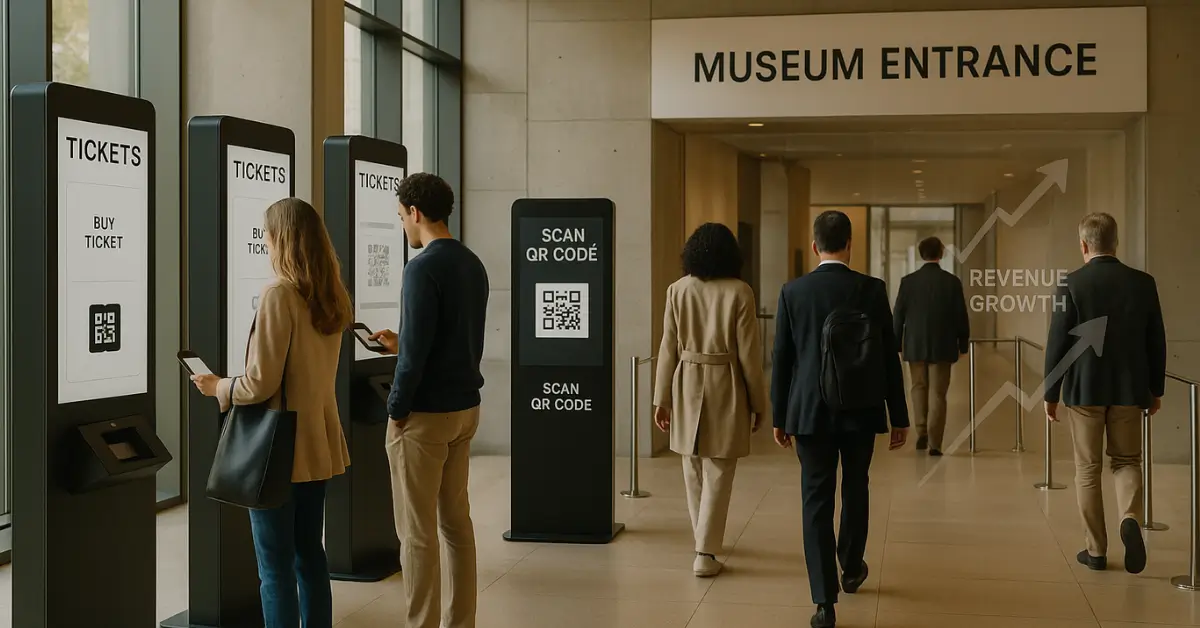
Step 4: Use QR-based entry to reduce queues
Queues cost revenue. Visitors waiting in line don’t spend money in cafés or gift shops. QR scanning accelerates entry, which increases total throughput.
Step 5: Centralize reporting
When staff see real numbers every day, planning becomes straightforward. You don’t need dashboards full of charts—just counts, peaks, drops, and anomalies.
Mistakes Museums Make
1. Treating the ticketing system as an IT tool instead of a revenue tool
This happens when decisions are driven by software cost instead of revenue impact. Instead: choose based on efficiency and revenue control.
2. Keeping offline and online ticketing separate
This splits data, making demand appear unpredictable. Instead: unify POS, online, and kiosk data.
3. Avoiding automation out of fear staff won’t adapt
The fear is understandable. But manual handling always costs more. Instead: automate gradually, starting with reminders and reconciliations.
4. Not using timed entry
Most museums ignore it because it feels restrictive. Instead: treat it as capacity optimization, not control.
5. Ignoring upsells
If your audio guide isn’t shown at the right moment, most visitors won’t buy it. Instead: automate the offer right after ticket selection.
6. Collecting data but not acting on it
Data without workflow is noise. Instead: pick one variable—peak day, peak hour, spend—and act on it weekly.
Myths: Museum Owner Believes
Myth 1: “Ticketing systems are expensive.”
The real expense is staff time and errors. Software usually replaces both.
Myth 2: “Automation reduces the human experience.”
It removes friction, not interaction. Staff can spend more time with visitors instead of fixing queues.
Myth 3: “We don’t need visitor data.”
Without it, pricing and scheduling are blind guesses.
Myth 4: “Queues are normal.”
Queues are a symptom of poor flow, not a museum trait.
Examples of Museum
A mid-sized museum using manual logs often miscounts 3–7% of daily visitors. Even small reconciliation errors add up over a year.
Switching to automated timed entry can restructure footfall so evenly that weekend crowding decreases by 20–30%. Visitors who aren’t fatigued at entry spend more in on-site venues.
When one Indian cultural center replaced manual counters with QR entry, they reduced the average wait time from 11 minutes to under 3. Their café revenue jumped because visitors weren’t spending their energy in line.
Museums that unify their ticketing and POS data typically uncover low-demand slots they can sell at discounted rates without hurting peak revenue.
These aren’t edge cases. They are normal results of clean data and consistent workflows.
Complete Guide: Complete museum ticketing system with POS and online booking
Proprietary Framework: “Revenue Loop Model”
What it is
A simple way to understand how museum ticketing influences total revenue.
Loop Has Four Steps
- Booking Efficiency → more confirmed visits
- Entry Flow → less waiting, higher visitor satisfaction
- On-Site Spend → more purchases because stress is lower
- Data Feedback → better scheduling and pricing changes
Why it works
Each step amplifies the next. A bottleneck in any part breaks the loop. A good ticketing system strengthens all four steps simultaneously.
When to use it
Any time a museum evaluates whether a new ticketing system meaningfully increases revenue.
What Museum Owner Thinks
Most museums think of ticketing as an administrative problem. The deeper truth is that ticketing is a demand engine disguised as a workflow tool.
The real secret is that operational friction has compounding effects. A 5-minute queue doesn’t only waste time; it reduces café revenue, disrupts exhibit flow, increases staff stress, and lowers visitor satisfaction scores. Museums rarely quantify these costs, so they underestimate the value of fixing them.
This is why a well-designed ticketing system often pays for itself faster than any new exhibit.
Checklists for Museum Owner
Operational Checklist
- All ticket types listed online
- Unified POS + online reporting
- QR scanners at every gate
- Automated reminders enabled
- Daily demand dashboard
- Timed entry blocks set
- Upsell rules configured
Simple Pricing Template
- Peak hours: standard rate
- Shoulder hours: 5–10% lower
- Low-demand hours: 15–20% lower
- Member rates: fixed
- Last-minute pricing: optional
Comparison: Old Way vs New Way
Old Way (Manual):
- Cash reconciliation errors
- Long queues
- No demand forecasting
- Staff-intensive entry
- Inaccurate headcounts
New Way (Automated Ticketing):
- Clean digital records
- QR entry, minimal queues
- Reliable demand data
- Fewer staff required at gate
- Real-time capacity control
Systems like EveryTicket fit the “new way” model because they unify online, POS, QR entry, and reporting in one workflow, which is what most museums need to tighten revenue loops without adding complexity.
Wrap-up!
A museum increases revenue when its ticketing system replaces manual friction with clear data and fast workflows. The gains come from smoother entry, higher conversion, and better demand visibility. Automation doesn’t replace staff, it removes tasks that drain time and money. Systems built for operational clarity, like EveryTicket, help museums tighten the entire revenue loop without adding complexity.
If you’re comparing museum ticketing systems, explore platforms that focus on revenue clarity and operational efficiency. Tools like EveryTicket keep the system simple while giving museums the data they need to grow without raising costs.
Fill the inquiry form and book a free demo today with our team.
FAQs
1. How exactly does a ticketing system increase museum revenue?
By reducing friction, preventing errors, and improving visitor flow.
2. What’s the most important feature?
Unified data. Fragmented systems hide demand patterns.
3. Do small museums benefit too?
Yes. Small teams feel operational inefficiencies the most.
4. How fast does automation show results?
Usually within weeks because queues and errors drop quickly.
5. What about staff training?
Simpler systems reduce training time to minutes, not days.
6. Do museums need dynamic pricing?
Not always. Even basic day-part pricing increases revenue.
7. Should events use the same system?
Yes. Splitting tools breaks reporting and forecasting.
8. Is QR entry necessary?
If reducing queues matters, yes.
9. Does a ticketing system reduce staff?
It reduces repetitive tasks, not jobs.
10. How do museums measure ROI?
By comparing staffing time, reconciliation errors, and on-site spend before and after automation.