I have sat through dozens of museum ticketing software demos over the past few years. Some as a vendor, some alongside museum directors, evaluating options. One pattern keeps repeating: museums sign contracts based on impressive slide decks, then struggle with software that does not fit their daily operations.
So, here I am going to share exactly what to prepare, what to ask, and what to avoid before you commit to any museum ticketing system. If you are a museum director or IT head evaluating vendors right now, these questions will save you months of frustration.
Why 70% of Museum Software Demos Mislead Buyers
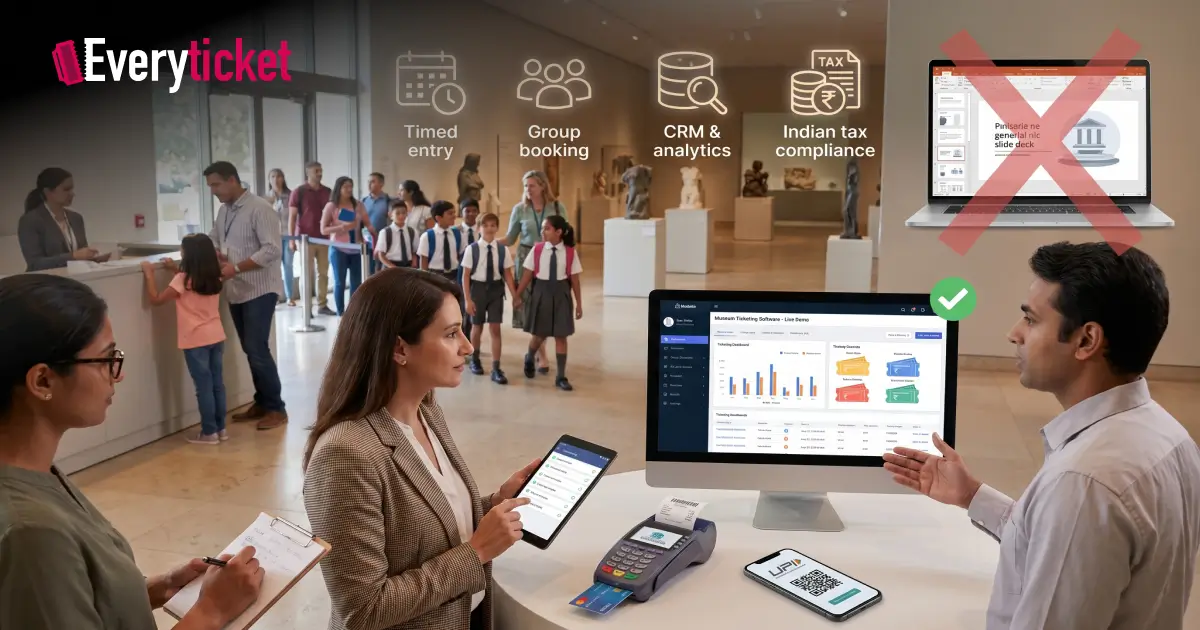
Most demos are designed to impress. Vendors show best-case scenarios with pre-loaded data and ideal conditions. The museum management software looks fast, clean, and capable during a 30-minute presentation. But daily operations at a museum in Ahmedabad or Chennai look nothing like a demo environment.
Here is what typically goes wrong:
- The demo shows online booking, but the system cannot handle walk-in POS sales at the counter during peak hours.
- Group booking for school visits is mentioned but never shown in action.
- UPI, card, and cash payment support is promised but poorly integrated with GST-compliant billing.
- Visitor analytics look good on screen, but export options for audit or grant reporting are missing.
The American Alliance of Museums states that museums must use technologies appropriate to their goals, audiences, and resources. A demo that skips your real-world scenarios fails that standard.
What to Prepare Before You Even Book a Demo
Walking into a demo without preparation hands control to the vendor. Before you schedule any museum ticketing software demo, complete these steps:
Map your current operations
Document how tickets are sold today. Include counter sales, online bookings, group visits, membership entries, and complimentary passes. If you still rely on manual booking processes, note exactly where bottlenecks occur.
List your non-negotiable requirements
Write down 8 to 10 features your museum cannot operate without. For most institutions in India, this includes timed entry, school group management, multi-payment support (UPI, cards, cash), and real-time reporting. Your museum ticketing system must handle all of these on day one.
Prepare real test scenarios
Bring actual data to the demo. Ask the vendor to process a school group of 30 students with a group discount. Ask them to show a walk-in family paying via UPI while an online booking happens simultaneously. Real scenarios expose gaps that polished presentations hide.
7 Questions Every Museum Director Must Ask During the Demo
I recommend structuring your demo around these seven areas. Each question targets a specific operational need.
1. Can it run online and on-site sales from one dashboard?
A museum ticketing system that separates online and counter sales creates data silos. Ask to see unified POS and online booking working together in real time. Inventory should update instantly across all channels.
2. How does the system handle school groups and timed entry?
Group bookings are a daily reality for museums across India. The museum management software should support bulk ticketing, automatic discount application, and timed slot assignment for large groups. Ask them to demo this with 40+ visitors in a single booking.
3. What CRM and visitor data tools are included?
Selling tickets is one task. Understanding who visits, when they return, and what they prefer requires CRM integration. Ask if visitor profiles, communication tools, and membership tracking are built in or require third-party add-ons.
4. Does it integrate with your existing tools?
Museums already use accounting software, payment gateways, and sometimes donor management platforms. The museum management software should connect through APIs without requiring custom development at extra cost.
5. Is the system compliant with Indian tax regulations?
GST-ready invoicing and billing are mandatory. Ask the vendor to generate a GST-compliant receipt during the demo. If this requires a workaround or a plugin, treat it as a red flag.
6. What does onboarding, training, and support include?
Ask specifically: Is staff training included? Is there a setup fee? What is the average response time for support tickets? According to a 2026 industry report, the museum software market is growing at 9.7% CAGR, and vendors competing in this space should offer onboarding support as a standard, not a premium add-on.
7. What are the total costs, including hidden fees?
Ask for a full pricing breakdown. Include platform fees, transaction charges, payment gateway commissions, and any costs for adding kiosks, extra users, or new locations. Museum ticketing software pricing should be transparent with no per-ticket commissions eating into your revenue.
Red Flags That Should Make You Walk Away
Not every vendor is the right fit. Watch for these warning signs during your demo:
- No live demo available. If the vendor only shows slides or recorded videos, the product may not be ready for production use.
- Vague answers about data ownership. Your visitor data belongs to your museum. Confirm this in writing before signing.
- Long-term lock-in contracts. Avoid vendors who require 2 to 3 year commitments without exit clauses.
- No references from similar institutions. Ask for contact details of museums currently using the museum ticketing system. Speak with them directly.
- Separate charges for basic features. If analytics, CRM, or reporting cost extra, the base product is incomplete.
How EveryTicket Handles Every Question on This List
I work with museums that face these exact challenges every week. We built EveryTicket specifically for museums in India, and every question listed above is something we answer during our demos with live data.
We offer unified online and counter ticketing, built-in CRM, school group management, GST-compliant billing, UPI and card payments, and real-time analytics from a single dashboard.
Our onboarding includes free staff training, complete system setup, and ongoing support. Museums using our platform have processed over 150,000 tickets and reduced visitor wait times by up to 40%.
There are no long-term contracts. No hidden fees. No per-ticket commissions.
Book your free EveryTicket demo today and bring your toughest questions. We will answer every one of them live.
Conclusion
A software demo should test the vendor, not impress the buyer. Prepare your scenarios, ask direct questions, and watch how the museum ticketing software performs under real conditions. The right museum management software will handle your peak-hour chaos, your school group bookings, and your compliance requirements without workarounds. The wrong one will cost you time, money, and visitor satisfaction. Use this guide as your checklist before every demo you attend.
FAQs
What is museum ticketing software?
Museum ticketing software is a digital platform that manages online bookings, counter sales, visitor data, and reporting for museums.
How do I evaluate a museum ticketing system during a demo?
Prepare real scenarios like group bookings and UPI payments, then ask the vendor to demonstrate them live.
What features should museum management software include?
Essential features include online booking, POS integration, CRM, timed entry, GST billing, and real-time analytics.
Why do museums need a dedicated ticketing system instead of generic software?
Museums handle timed entries, school groups, memberships, and exhibitions, which generic event platforms cannot manage effectively.
How long does it take to set up museum ticketing software?
Cloud-based platforms like EveryTicket can go live within 60 minutes with full setup and staff training included.