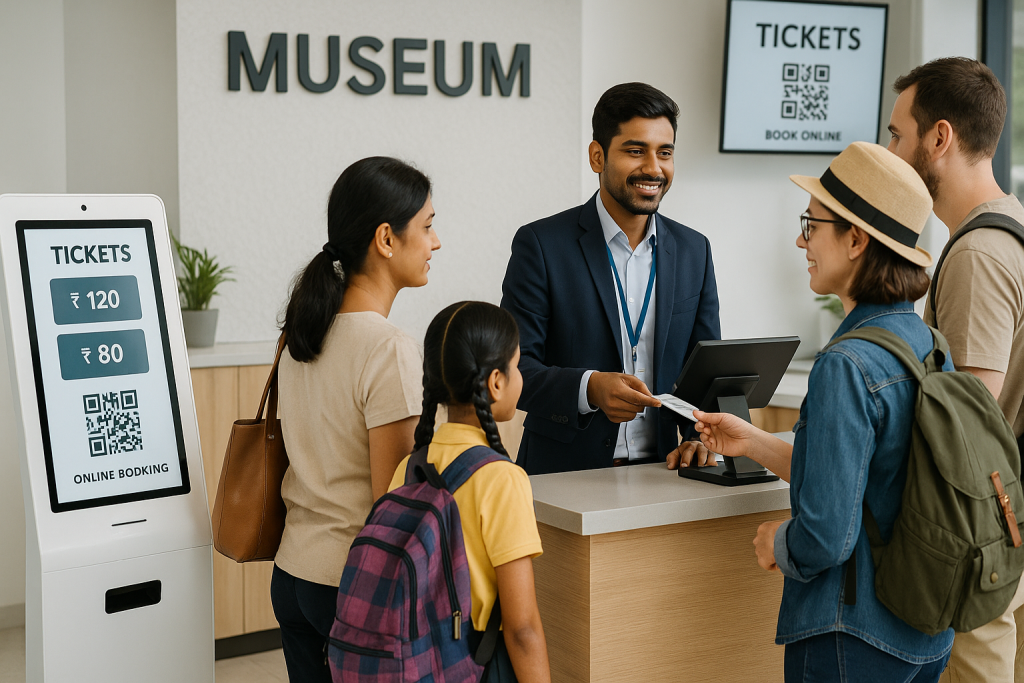
Every quarter, I get the same question from administrators at ASI-affiliated sites: now that monument tickets are being sold through the ONDC network, do we still need our own museum ticketing system? The answer is yes, and the reason is operational. The central booking flow handles the monument entry ticket. It does not handle your counter sales, your kiosk, your guided tour add-ons, your exhibition pricing, or your CAG-ready financial reporting. This guide covers the compliance prerequisites, procurement pathway, and 30-day setup plan I have walked through with administrators at affiliated site museums, state-board museums, and trust-managed institutions adjacent to centrally-protected sites.
Key Takeaways
- ASI-affiliated museums still need their own ticketing system, even when monument tickets sell through the central ONDC flow.
- GST-compliant invoicing, multi-category pricing, and CAG-ready audit exports are a non-negotiable compliance baseline.s
- The GeM portal listing is the cleanest procurement pathway for software under the standard tender threshold
- A 30-day setup with a parallel run before cutover protects against revenue or audit-trail loss
- Digital ticketing solutions built for the Indian institutional context outperform adapted Western platforms on every compliance criterion.
What “ASI-affiliated” means for your museum ticketing system procurement
The phrase covers more institutions than most procurement officers realise. The Archaeological Survey of India directly manages 116 ticketed monuments and 32 site museums. Beyond that, hundreds of state museums, trust-managed heritage sites, and university institutions sit adjacent to or are governed in coordination with ASI guidelines.
- Centrally-protected ASI site museums: monument tickets flow through ONDC; site-museum ticketing, exhibitions, and ancillary revenue stay with the museum
- State museum board institutions: state finance department audit applies, not central CAG, but the compliance bar is identical
- Trust-managed museums on or adjacent to protected sites: full procurement and audit autonomy
The museum management software you choose must handle whichever category applies, as well as the ASI-mandated reporting overlay where relevant.
Compliance baseline before evaluating any museum management software
I have watched procurement teams shortlist museum management software based on feature count, only to discover at audit time that the basic compliance plumbing is missing. Lock these in before any demo.
- GST-compliant invoicing is generated automatically on every ticket, with HSN code applied per category.y
- Multi-category pricing for Indian nationals, foreign nationals, SAARC, students, senior citizens, complimentary, and group rates
- Dual-language receipt support for state-list languages where the museum operates
- Treasury deposit reconciliation showing daily collections by payment mode (UPI, card, cash) against bank statements
- Audit-ready CSV and PDF exports formatted to match CAG and state finance review templates.
Our UPI and tax compliance guide covers the invoice-format details. Use it as a vendor-question script during demos.
Procurement pathway: GeM portal vs. direct tender
The procurement route depends on the institutional category and the contract value. Most administrators default to a direct tender out of habit. That is not always the cleanest path.
- GeM portal listing: works for software value within standard category limits, with pre-vetted vendor verification baked in
- Limited tender enquiry: appropriate where the institutional value crosses GeM thresholds but stays under open tender limits
- Open tender: required above the threshold; full publication, technical and financial bid separation, vendor pre-qualification rounds
In every contract, regardless of route, four clauses matter: data ownership stays with the museum, a 30-day exit notice, CSV export in standard formats on termination, and no automatic multi-year renewal. The Indian museum procurement checklist walks through the clause-by-clause review. Pair it with our vendor evaluation guide before shortlisting.
30-day setup phases for ASI-affiliated digital ticketing solutions
A 30-day deployment framework gives you a tested system before the next CAG cycle. The phasing matters; skipping the parallel run is the most common reason cutovers go wrong.
Week 1: Compliance configuration
- GST HSN codes mapped to each ticket category
- Multi-category pricing loaded with the current tariff
- Payment gateway integration (UPI, Pine Labs, PayU) tested with live transactions
- Dual-language receipt templates approved by the finance head
Week 2: Counter POS and kiosk go-live
- POS software installed on counter hardware with offline mode tested
- Self-service kiosk configured for walk-in visitor categories
- QR-based digital tickets and gate scanning verified end-to-end
- Staff training across counter, kiosk, and gate roles
The entry management with POS integration primer explains how the counter, kiosk, and gate connect on one system.
Week 3: Online booking and parallel-run
- The branded online booking portal is live for advance ticket sales
- Both manual and digital systems operate in parallel for one full week
- Daily reconciliation between the two confirms data integrity before cutover
Week 4: Cutover and audit handoff
- Manual system decommissioned after parallel-run sign-off
- First CAG-format export generated and reviewed
- Treasury reconciliation report cycle confirmed with the finance head
How we approach the ASI-affiliated museum ticketing system at EveryTicket
We built EveryTicket for Indian institutional ticketing from the ground up. GST-compliant invoicing, UPI as a default checkout option, multi-category pricing for Indian and foreign nationals, and audit-ready CAG exports are standard, not add-ons. Our online booking portal goes live in 60 minutes; full entry management with counter POS, kiosk, and gate scanning deploys in 30 days. We have processed over 150,000 tickets across museum deployments, including MAP Bangalore, with offline POS that holds through connectivity gaps without losing a transaction. For ASI-affiliated administrators evaluating their options, we offer a tailored demo for government museums on the EveryTicket platform.
Conclusion
An ASI-affiliated museum ticketing system is not a single product decision. It is a compliance framework, a procurement pathway, and a phased deployment plan applied in sequence. Get the compliance baseline right before the demo. Use the GeM portal where the value allows. Insist on a parallel-run week before cutover. The administrators I see succeed are the ones who treat ticketing as core financial infrastructure, not a counter convenience. The cost of a wrong choice is two years of audit friction. The cost of a right one is reliable revenue, clean reports, and a finance head who trusts the numbers at the end of every month.
Frequently Asked Questions
Do ASI-affiliated museums still need a ticketing system after ONDC integration?
Yes, ONDC handles monument tickets centrally, but site-museum sales, exhibitions, kiosk, and ancillary revenue need a museum ticketing system.
Is the GeM portal mandatory for procuring museum management software?
GeM is the preferred pathway for software within category limits, but limited or open tender routes apply above threshold values.
What audit reports must a museum ticketing system produce?
Daily settlement reports by payment mode, GST-compliant invoice exports, treasury deposit reconciliation, and CAG-ready CSV exports are all required.
How long does a 30-day setup take for ASI-affiliated digital ticketing solutions?
Online booking goes live in 60 minutes; full deployment, including POS, kiosk, training, and parallel run, takes 30 calendar days.
Can a museum ticketing system handle Indian and foreign national pricing separately?
Yes, multi-category pricing for Indian, foreign, SAARC, student, senior, and group rates is a baseline feature, not a premium add-on.