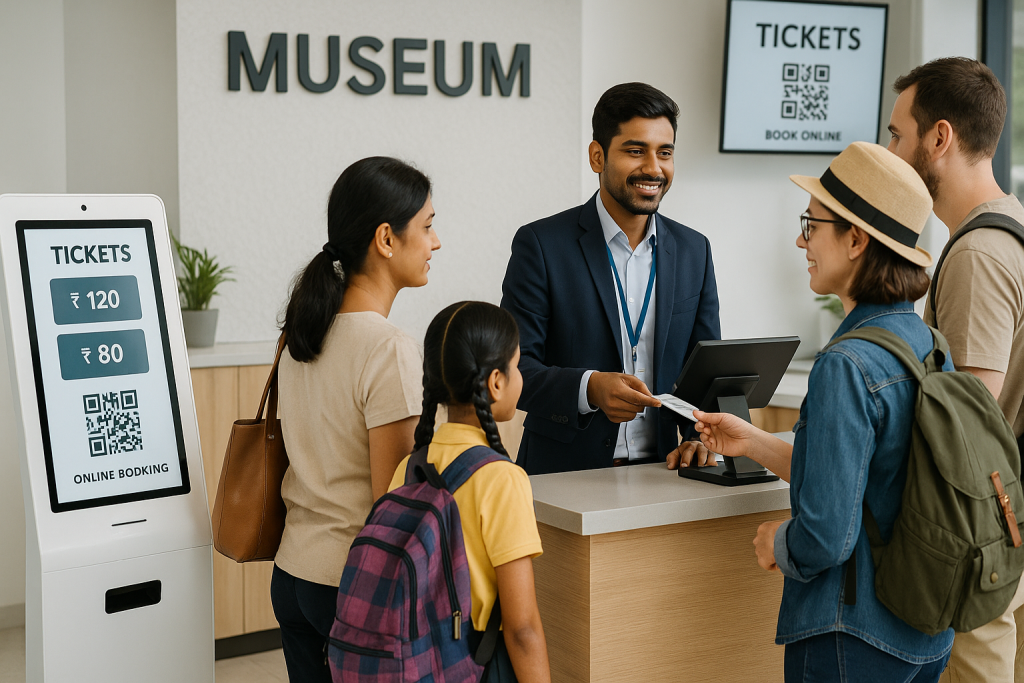
Even in 2026, many Indian museums operate on legacy IT infrastructure. They run one isolated database for on-site sales and a completely separate platform for web sales. This technical setup creates immediate inventory errors. IT teams face constant issues with manual data entry, hardware compatibility, and network security. Upgrading to a modern digital ticketing system solves these structural issues.
A unified cloud database ensures that physical counters and web portals share the exact same availability data at all times. This eliminates the need for manual reconciliation at the end of the day. This article explains how IT administrators install, configure, and secure museum ticketing software to synchronize physical hardware with web-based checkout portals.
Why Do Disconnected Databases Cause Capacity Failures?
When walk-in counters run independently from web portals, IT teams encounter severe data management problems. The lack of integration causes daily operational failures.
- Isolated Data Processing: Online ticket services process transactions on remote servers. If these servers do not communicate directly with local walk-in terminals, the central database remains outdated. Staff rely on inaccurate data.
- Manual Data Reconciliation: Staff must export end-of-day reports from the POS ticketing software and merge them manually with web sales data using spreadsheets. This manual process causes accounting errors and delays financial reporting.
- Overbooking Walk-in Events: A disconnected digital ticketing system cannot enforce strict visitor capacity limits. A counter attendant might sell a physical pass at the exact second a web user buys the final online slot. This leads to an overbooked venue and compromises visitor safety.
- Data Transfer Methods: Modern IT standards require automated data synchronization. Using a REST API structure allows physical terminals to exchange real-time JSON payloads with central servers. This eliminates the need for manual data uploads entirely.
What Does an API-First Architecture Look Like?
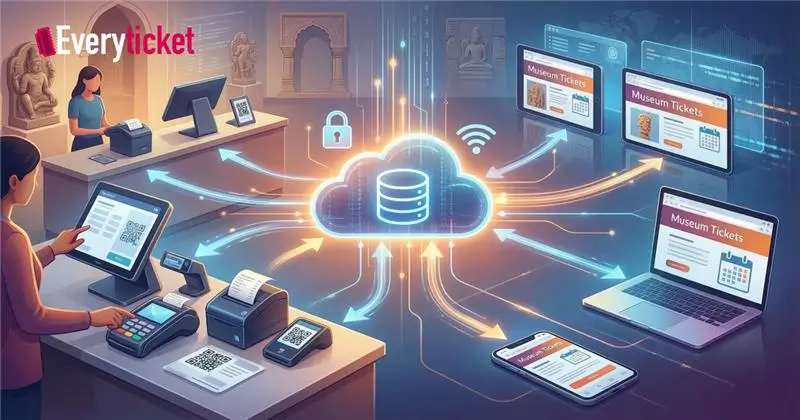
A cloud-based infrastructure centralizes inventory management. IT teams configure application programming interfaces (APIs) to move data instantly across all network endpoints.
- Central Server Integration: The core museum ticketing software acts as the definitive source of truth. It holds the master inventory, pricing tables, and user permission lists. All devices query this single server.
- Webhook Configuration: Webhooks trigger immediate network updates. When visitors purchase passes through online ticket services, the server pushes an instant update to all connected hardware. This blocks walk-in counters from selling unavailable slots.
- Bidirectional Synchronization: The physical POS ticketing software pulls availability updates from the cloud and pushes local sales data back to the central server. This setup allows museums to build advanced API integrations that connect entry gates directly to the main database.
How Does This Setup Handle Offline Modes and UPI?
Heritage structures in India frequently experience internet network drops. Thick stone walls block wireless signals. IT teams must implement hardware that functions correctly during connectivity outages.
- Local Data Caching: An effective digital ticketing system downloads a daily inventory cache to the local device memory. Terminals continue to scan barcodes, print receipts, and process cash sales without a live internet connection.
- Automated Re-Sync Protocols: Once the network connection returns, the POS ticketing software automatically uploads the queued offline transactions to the central cloud server. It updates the master inventory without human intervention.
- Native Payment Gateways: Administrators integrate payment APIs from local providers directly into the terminal interface. This enables rapid UPI QR code generation on the customer-facing screen and allows for instant settlement. Museums require a complete museum ticketing system to handle these mixed-mode payment scenarios effectively.
What Are the Implementation Steps for IT Administrators?
Deploying new hardware and software requires a structured rollout plan. IT teams follow specific steps to ensure continuous operation.
- Map Inventory Categories: Administrators must align ticket categories, such as foreigner, student, or senior citizen, across the central museum ticketing software and the local hardware. Pricing rules must match exactly.
- Configure Web Endpoints: IT staff map the IP addresses of local terminals to the APIs of the online ticket services. This ensures data packets route to the correct physical venue locations.
- Install Hardware Peripherals: Technicians connect thermal receipt printers, cash drawers, and IoT barcode scanners to the primary digital ticketing system. They test the drivers for compatibility.
- API Authentication Configuration: Security protocols demand strict access controls. Using secure token authentication prevents unauthorized devices from querying the main database. Administrators issue unique API keys for every physical terminal. At EveryTicket, we make it easier for the IT team to integrate the API within the museum ticketing software/system.
What Data Reports Result from Integrated Terminals?
Connecting all sales channels provides administrators with accurate, unified data. This allows for precise auditing and capacity management.
| Metric | Disconnected Setup | Integrated Setup |
| Inventory Tracking | Delayed by 24 hours | Real-time updates across all platforms |
| Hardware Management | Isolated to local networks | Cloud-based remote monitoring and updates |
| Revenue Reporting | Manual spreadsheet merging | Automated dashboard generation |
| Capacity Control | Prone to human error | Strictly enforced by the central server |
The POS ticketing software feeds transaction data directly into these reporting dashboards. Managers view combined analytics from the physical walk-in counters and the online ticket services simultaneously. This unified approach makes the museum ticketing software a highly reliable tool for daily capacity planning and revenue tracking.
How Do IT Departments Secure the Network?
Security remains the top priority when connecting physical hardware to web servers. IT departments deploy multiple layers of protection.
- Role-Based Access Control: Administrators assign strict permissions within the digital ticketing system. Counter staff receive basic sales and scanning access. Managers retain refund, void, and override capabilities. This prevents unauthorized cash drawer operations.
- End-to-End Encryption: The POS ticketing software encrypts all credit card and personal payment data before transmission. The system does not store sensitive financial details on the local hard drives.
- Payload Security: Data moving between the core museum ticketing software and the external online ticket services requires TLS 1.2 or higher encryption to prevent network interception. IT teams follow strict protocols to setup ticketing software for museum networks securely and compliantly.
Connecting counter hardware directly with web-based platforms eliminates manual data entry, prevents overbooking, and secures payment processing. A modernized, API-driven infrastructure operates faster, reduces administrative overhead, and scales easily as visitor volumes increase.
To implement a ticketing system that boosts revenue through automated synchronization, contact the technical integration team at EveryTicket to schedule a technical discovery call.