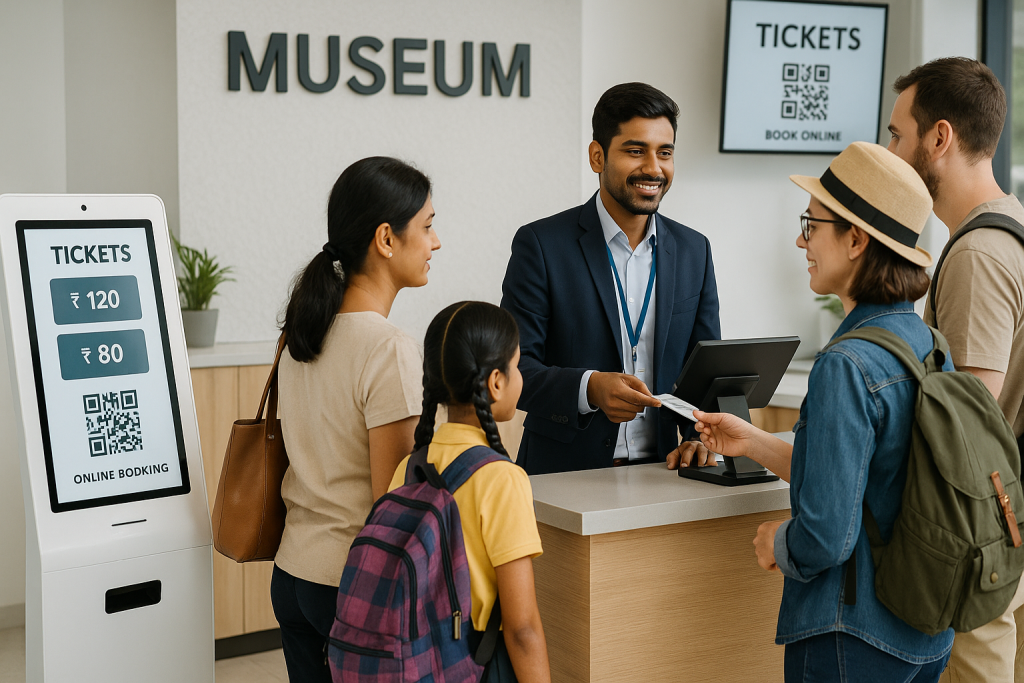
School trip coordinators call. Travel agents send WhatsApp messages. A college sends an email asking for 80 student tickets next Friday. By the time the museum admin closes the spreadsheet, three more queries are waiting. Manual group booking coordination wastes hours every week and still produces errors at the gate.
An online ticketing system removes this back-and-forth. It gives coordinators a structured way to request, pay, and confirm group tickets. It gives the museum admin a single dashboard to track every group, payment, and time slot. Let’s discuss how to manage tickets for museum online for group visits, step by step.
What Actually Counts as a Group Booking
A group booking is any single reservation for ten or more visitors arriving together. The most common categories at Indian museums are:
- School and college field trips
- Travel agency and tour operator bookings
- Corporate outings and team visits
- NGO, club, and community groups
- Heritage walk and guided tour parties
Each category needs different pricing, paperwork, and arrival timing. A museum ticket reservation system designed for groups handles all of these from one place.
Where Manual Group Bookings Lose Time and Money
Most museums still book groups over phone calls, email threads, and printed registers. The result is predictable.
- Coordinators wait 24 to 48 hours for a confirmation reply.
- Front desk staff verify printed lists at the gate, which slows entry.
- Double bookings and capacity overruns happen on busy days.
- Cash handling for large groups produces accounting errors.
- Cancellations and changes live only inside someone’s inbox.
These gaps cost the museum revenue and damage its standing with schools and tour operators. The Ministry of Culture has actively backed digital modernisation of Indian museums, and group booking is the area where the gain is fastest.
The Group Booking Workflow, Step by Step
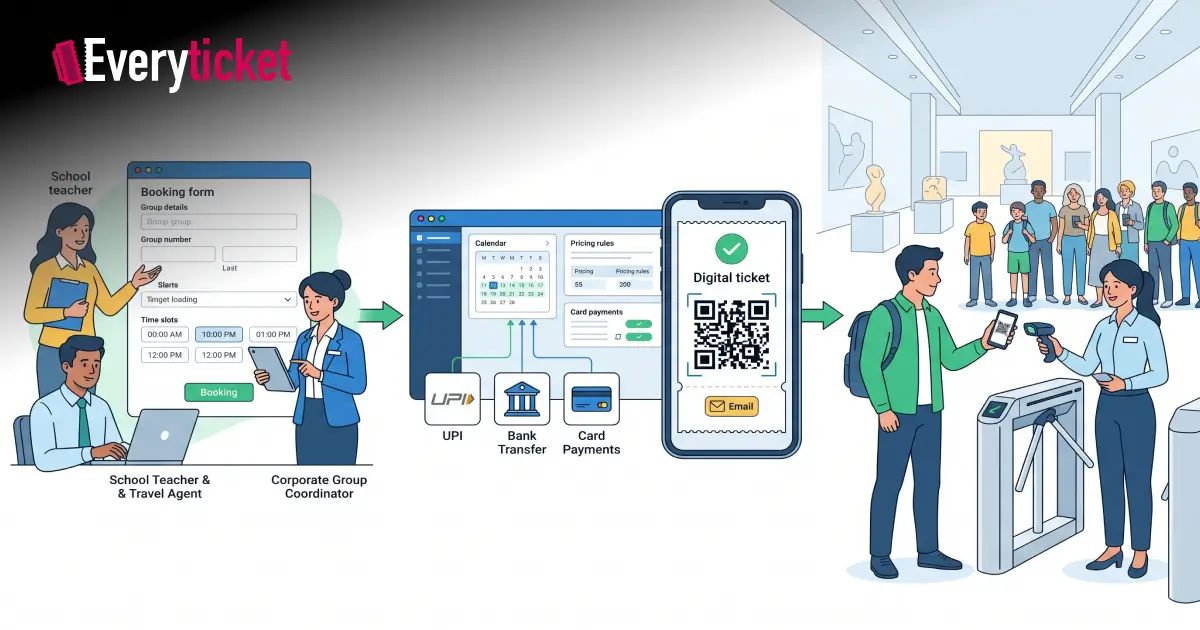
A modern online ticketing system replaces the manual process with seven clear steps. Each step removes one source of error.
Step 1: Create a Dedicated Group Booking Form
The system should expose a group booking page on the museum’s website. The form collects:
- Group name, contact person, and phone number
- Group type: school, college, corporate, or travel agency
- Preferred date and time slot
- Number of adults, students, and chaperones
- Special requests, such as a guided tour or audio guide
The request lands directly in the admin dashboard. No phone calls. No email forwarding.
Step 2: Set Group Ticket Types and Pricing Rules
A capable online ticketing system lets the admin define multiple ticket categories inside one group booking.
- Student rate, adult rate, and free chaperone allowance
- Group discount tiers based on size
- Free or subsidised entry for government school visits
- GST compliant pricing for institutional buyers
The system applies these rules automatically. The coordinator sees the final amount before confirming.
Step 3: Allocate Time Slots and Cap Capacity
Time slots prevent overcrowding. The reservation engine reserves a fixed number of group seats per hour.
- Morning slots can be reserved for school groups.
- Afternoon slots can be opened for travel groups and walk-ins.
- The system blocks new bookings once the slot is full.
This keeps gallery density safe and gives every group a smooth visit.
Step 4: Automate Confirmations, Invoices, and Reminders
Once the coordinator pays, the reservation system sends:
- A booking confirmation by email and SMS
- A GST invoice as a PDF attachment
- A QR code pack for the group leader
- A reminder 24 hours before the visit
The coordinator stops chasing anyone. The admin stops typing emails.
Step 5: Accept the Payment Methods Indian Buyers Actually Use
Schools and travel agents pay differently from individual tourists. UPI crossed 228 billion annual transactions in 2025 and now dominates merchant payments, but institutional buyers still need other options.
- UPI for quick coordinator payments
- Credit and debit cards
- NEFT and RTGS bank transfers for school accounts
- Pay-at-counter option for pre-confirmed bookings
A single POS-integrated platform records all of these against the same group ID, so the finance team sees one clean entry per group.
Step 6: Run a One-Scan Group Check-In
On the day of the visit, the bus pulls up and the group leader shows one QR code. Staff scan it once. The system validates the full group count and opens the gate.
- No paper list verification
- No head-counting at the door
- Late or partial arrivals get marked in the dashboard
- Live attendance updates appear on the admin screen
This single step often cuts group entry time by half compared with manual ticketing.
Step 7: Use Group Data for Better Planning
Every confirmed group adds a record to the museum’s database. The ticket management dashboard answers questions the museum could not answer before.
- Which schools repeat their visits each year
- Which travel operators bring the highest revenue
- Which slots fill up first during exam season
- Which months see the highest student footfall
This data shapes future pricing, outreach, and staff planning.
What School Trip Coordinators Want from a Booking System
School trip coordinators carry a different checklist from regular visitors. A platform built for Indian museums should handle:
- Bulk rescheduling if the school shifts its trip date
- Free chaperone passes based on the student-teacher ratio
- Purchase orders and bank transfer acceptance for finance teams
- Itemised GST invoices addressed to the school
- A simple option to add or remove students up to 24 hours before the visit
When the ticketing setup supports these workflows, the coordinator books, pays, and gets confirmed in a single sitting. The museum ticket reservation system carries the burden, not the teacher.
Run Group Bookings on a Platform Built for Indian Museums
EveryTicket is built specifically for Indian cultural institutions. The platform handles dedicated group booking forms, time-slot capacity rules, GST compliant invoicing, UPI and bank transfer payments, and one-scan QR check-in from one dashboard.
The same system supports counter sales, self-service kiosks, and online bookings, so school groups, tour parties, and walk-in visitors share the same live inventory. Museum admins get real-time reports on every group, payment, and slot without touching a spreadsheet. To see how this works on your own visitor data, book a free demo and automate group bookings end to end.
Conclusion
Manual group coordination is the slowest, most error-prone part of museum ticketing. It costs staff hours, frustrates school trip coordinators, and leaves money on the table. An online ticketing system fixes the workflow end to end. It collects the request, prices the tickets, accepts payment, sends the invoice, and verifies the group at the gate. Museums that adopt this approach manage tickets for museum online with fewer staff and far fewer errors. The result is a smoother visit for every group and a clearer view of the business for every admin.
FAQs
What is a group booking in museum ticketing software?
A group booking is a single reservation covering ten or more visitors with shared timing, pricing, and one confirmation record.
How does an online ticketing system prevent group booking errors?
The system enforces capacity limits, applies pricing rules automatically, and stores every change in one dashboard, removing manual list-keeping mistakes.
Can school coordinators reschedule or cancel group tickets easily?
Yes. Coordinators log in, change the date or count, and the museum ticket reservation system updates capacity, invoices, and QR codes instantly.
What payment methods suit school and corporate group bookings?
UPI, credit and debit cards, and NEFT bank transfers cover almost all Indian school, college, and corporate group buyers comfortably.
How early should a group book online?
Most museums recommend booking at least seven days ahead so coordinators confirm chaperones, payment, and the arrival slot without last-minute conflicts.