Indian museums need modern museum management software because disconnected systems make daily work harder than it should be. In 2026, museums need a setup that can handle ticketing, entry, reporting, and visitor operations without forcing staff to jump between tools.
That matters even more for state museums. They often manage public visitors, school groups, events, and admin work at the same time. When these tasks run separately, the result is delay, confusion, and extra manual effort.
What is museum management software?
Museum management software is a system that helps museums run daily operations from one place.
It can include online booking, counter ticketing, QR-based entry, reporting, dashboards, POS, memberships, and group bookings. Some systems also support communication, event management, and visitor data.
So this is not only about selling tickets online. It is about helping the museum run better every day.
Why are old systems a problem?
Many museums still use a mix of paper records, Excel sheets, separate counters, and manual reports. That may work for a while, but it creates small problems every day.
One team enters visitor data in one place. Another handles ticketing somewhere else. Reports are made later by pulling numbers from different sources. That slows everything down.
This usually leads to:
- repeated data entry
- long entry queues
- report delays
- payment confusion
- poor daily visibility
- more pressure on staff
Even small museum ticket management becomes difficult when online and offline numbers do not match.
Why does this matter in 2026?
Visitor expectations are different now. People expect fast booking, simple payment, quick confirmation, and smooth entry.
If the museum experience starts with a slow counter or unclear process, the visit already feels outdated.
Museum leadership also needs more than basic records now. They need quick reports, better control, and clearer numbers to support planning and operations.
That is why modern software is no longer just a digital upgrade. It is part of running a museum properly.
What should a museum system include?
A good system should support both staff and visitors. It should make daily work easier, not more complicated.
The most useful features usually include:
- online booking
- counter sales
- QR or code-based ticket checks
- POS integration
- real-time reports
- dashboard access
- group booking support
- membership handling
- multilingual support
- GST-ready billing
The best systems do not only solve front-desk issues. They also improve what happens behind the desk.
Why do state museums need one connected system?
State museums often deal with more complexity than people think. They may handle walk-ins, student groups, guided visits, exhibitions, local events, and reporting requirements all at once.
That is why one connected system matters.
First, it improves daily operations. Staff can manage bookings, entry, and reports in one flow.
Second, it improves control. When data stays in one place, it becomes easier to track sales, visitor numbers, and issues.
Third, it improves visitor experience. Entry gets faster, communication is clearer, and the process feels more organized.
A connected system helps museums do the same work with less friction.
What happens when ticketing stays separate?
When museum ticketing stays separate from reporting and visitor management, museums keep solving one problem at a time without fixing the full workflow.
A museum may add online booking, but still struggle with counter sales. It may improve entry, but still prepare reports manually. It may digitize one task while the rest remain disconnected.
That is why an end-to-end system matters. It connects the full journey, from booking to entry to reporting.
Is this useful for small museums too?
Yes, absolutely.
Small museums often think modern software is only for large institutions. But smaller teams usually feel the pressure of manual work even faster. When a small team handles ticketing, entry, reports, events, and basic visitor support, even one broken process creates extra stress.
A simple and connected setup helps smaller museums save time, reduce errors, and stay more organized without adding complexity.
How can museums start without making it difficult?
The best place to start is by looking at how the museum works today.
Begin with the full visitor journey. Look at booking, counter sales, entry checks, school visits, reports, and end-of-day closing.
Then ask simple questions:
- Where is time being lost?
- Where are teams doing the same task twice?
- Where do spreadsheets still control important work?
- Where do delays affect visitors the most?
Once these gaps are clear, it becomes easier to decide what the software really needs to solve.
Most museums should start with the biggest friction points first. In many cases, that means ticketing, visitor entry, and reporting.
What should museums avoid while choosing software?
One common mistake is choosing only a ticketing tool when the real issue is disconnected operations.
Another mistake is focusing too much on feature count. More features do not always mean a better fit.
Museums should also be careful about:
- Software that is hard for staff to use
- systems that improve only visitor booking
- tools that still require manual reporting
- setups that do not match Indian billing and workflow needs
The right software should fit the museum’s real daily work, not just look impressive in a demo.
What questions should museums ask before choosing a platform?
This is where many teams make better decisions.
Instead of asking, “Do we need software now?” ask, “What is manual work costing us every month?”
Instead of asking, “Can this handle ticket sales?” ask, “Can this connect ticketing, entry, reports, and visitor operations in one flow?”
Instead of asking, “Will this work for large museums only?” ask, “Will this reduce pressure on our team and make daily work easier?”
These questions lead to better software choices because they focus on operations, not just features.
What does this look like in real life?
Imagine a state museum where tickets are sold at the counter, school bookings come through phone calls, and monthly reports are prepared in Excel.
On a busy day, the staff spend extra time checking records. Visitors wait longer than they should. At the end of the day, another team still has to match payments, ticket counts, and visitor data manually.
Now imagine the same museum with one connected platform.
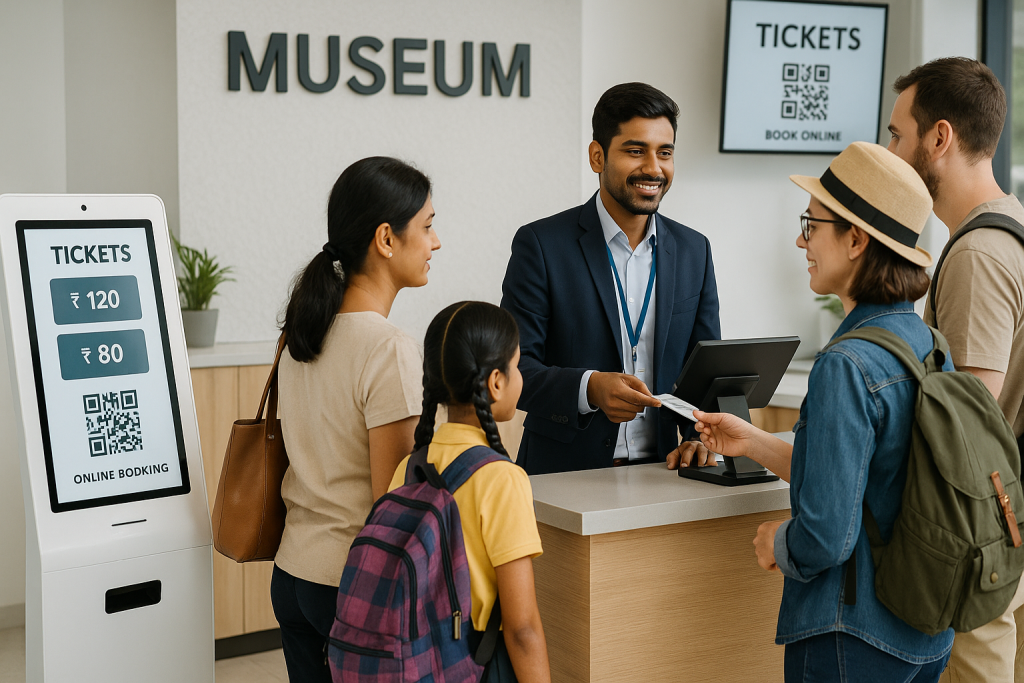
Visitors can book online or buy at the counter. Tickets are checked quickly at entry. Reports are available in one dashboard. Staff spend less time fixing issues and more time running the museum smoothly.
That is the real value. The museum does not change what it does. It changes how well it can do it.
Why should museums talk to EveryTicket?
If your museum is still handling ticketing, entry, reporting, and operations through separate systems, this is the right time to look at a more connected approach.
EveryTicket helps museums bring these functions into one system, so teams can manage online booking, counter ticketing, QR-based entry, reporting, and daily operations more smoothly.
What makes that important is real implementation experience. Solutions like this have already been implemented in other places, which means the approach is based on practical operational needs, not just a software idea.
For state museums in India, that matters. You need a system that is easy for staff to use, flexible enough for real workflows, and reliable enough for public operations.